Job tabs
Double-clicking on a table in the table list of a database, a job containing that table is opened.
The tables deriving fro following foreign keys or applying queries to the tables of a job are
themselves part of the job.
Opening a second table in the table list, the fact that it is a second job is apparent because the jobs are showed as
tabs;
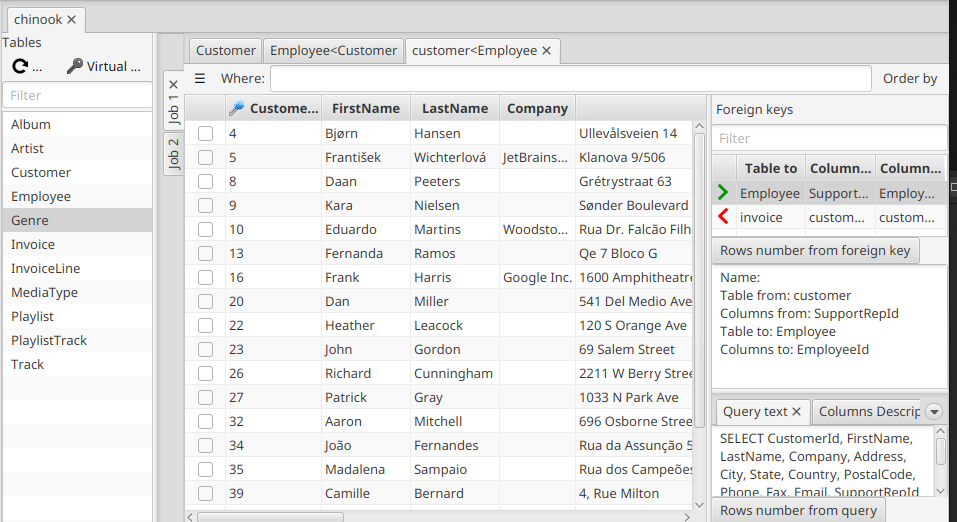
Tha job tabs have by default generic names (“job 1”, “job 2” …) but tbe name of a job can be changed clicking on the Rename job button in the button panel of one of the jobs tables:
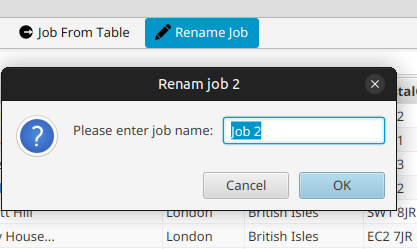
Immediately the job tab handle will get the new name.
A job can be closed (removed) just clicking on the X of its tab handle, in the smae way as for a table.
As we saw, new jobs can be created simply double-clicking on a table of the table list. But there is another way: clicking on the Job from table button on the button panel of a table, a new job is created containing that table. This can be useful, for example, to focus on that table and what can be derived from it.